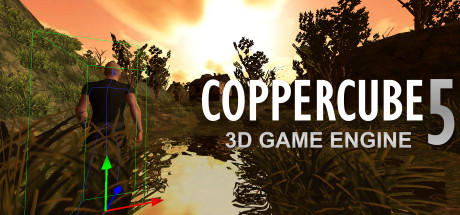
[url=store.steampowered.com/app/364970]CopperCube Game Engine 5.6[/url] is now available.
[img]http://cdn.edgecast.steamstatic.com/steamcommunity/public/images/clans/8629550/6e3dd37bfb937964c4ac7a308eed4cc0baa376f6.gif[/img]
This free updates includes lots of new features:
[h1]Wind Moved Vegetation Support[/h1]
Grass, leaves and other vegetation can now be moved by the wind. This works for grass on terrain, leaves of the trees, or any other object you like: It is a new material type setting. See the image above.
This works on WebGL, Android and Windows/D3D targets. On systems not supporting this, the system automatically falls back to static vegetation.
[h1]Borderless/Dynamic Window support[/h1]
The Windows target now supports a new window mode which is known as "borderless windowed" or "dynamic" mode. It has a few advantages:
[list][*]In windowed (= non fullscreen) mode, the window is resizeable
[*]It is possible to switch between fullscreen and windowed mode during runtime easily at any time
[*]Fullscreen mode is now automatically sized to the resolution of the users screen
[*]Task switching between game and other apps now is possible and very fast
[*]Switching to fullscreen at any time is now possible by clicking the 'maximize' window button
[/list]
[img]http://cdn.edgecast.steamstatic.com/steamcommunity/public/images/clans/8629550/0bfaf2ea497fc927827ce1342e6b3d848a587a35.png[/img]
[h1]Improved tree generation[/h1]
The procedural trees generator now creates much nicer looking trees.
[img]http://cdn.edgecast.steamstatic.com/steamcommunity/public/images/clans/8629550/e63833f54c6e65e3d94fbfd04e87699c13330476.jpg[/img]
[h1]Screenshot support[/h1]
Apps for the targets Windows .exe and Mac OS X .app can now save screenshots.
The new scripting function ccbSaveScreenshot(filename) saves the current content of the screen to a image file on the disk. Supported file formats are .bmp, .jpg, .tga, .psd, .pcx, .png and .ppm.
[h1]High precision mode[/h1]
When using Direct3D, the engine now runs in high precision mode, causing your interpolations look smoother in certain edge conditions
[h1]New features for people creating their game using C++:[/h1]
- There is now a way to get the current fog settings direct from the video driver, using IVideoDriver::getFog()
- It is now possible to set integer shader constant arrays (previously, only floats were supported)
- Various other small improvements here and there
[img]http://cdn.edgecast.steamstatic.com/steamcommunity/public/images/clans/8629550/57d5927aaf3cfd52f5c9f6d83d8409ee0e6e7e3a.png[/img]
[h1]Better Android Multitouch[/h1]
Android multitouch input now also works nicely with newer, faster Android devices, where sometimes the input controller would hang under certain circumstances.
[h1]Other, smaller new features and changes[/h1]
[list][*] Updated lots of parts of the documentation
[*] Added swedish translation
[*] Fixed a bug causing trees not to be regenerated when changing the texture in the tree generation dialog
[*] Fixed a problem causing JavaScript's Date() class not to return the correct time anymore after a D3D device reset
[*] Fixed a bug causing tree instances not to be stored on the terrain sometimes
[/list]